 Screo
ScreoLooking for a CleanShot X Alternative? Here's How Screo Compares
An honest comparison of CleanShot X and Screo: what CleanShot does better, where Screo is different, and how the prices compare over a few years.
CleanShot X is the best-known screenshot app on the Mac, and for good reason. If you're reading this, you're probably either using it and wondering about alternatives, or about to buy it and checking what else is out there.
We make Screo, so we're not neutral. What we can do is be specific: where CleanShot X is ahead, where Screo is different, and who each one suits. For a wider look at the whole category, see our comparison of the best screenshot apps for Mac.

Why people look for a CleanShot X alternative
The reasons we hear most often:
- No free trial. CleanShot offers a 30-day money-back guarantee instead of a trial. Some people simply prefer to try first.
- Cloud features they don't use. CleanShot's cloud is genuinely useful for sharing links, but plenty of people only ever copy screenshots into Slack, email or a doc.
- Wanting everything local. Screenshots often contain messages, client data and internal dashboards. Some people and companies prefer a tool with no cloud component at all.
- Buying through the Mac App Store. Purchases tied to an Apple ID, restored on a new Mac without a licence key.
- Paying for updates. CleanShot Basic includes one year of updates; after that, renewal is $19 a year if you want new versions.
None of these make CleanShot a bad choice. They're just the points where people's needs differ.
What CleanShot X does better
Being honest about this saves everyone time:
- Scrolling capture. CleanShot can capture a long web page or chat in one image. Screo doesn't do this yet.
- Cloud sharing. One click to upload and get a link, plus team features on the Pro plan. Screo has no cloud by design.
- Video editing. CleanShot's video editor can add animated zooms to recordings. Screo's editor covers trimming, muting, resolution and GIF export — the basics, not motion effects.
- Track record. CleanShot has been around for years and has a large user base.
If scrolling capture or shareable links are central to how you work, CleanShot X is probably the better fit today.
Where Screo is different
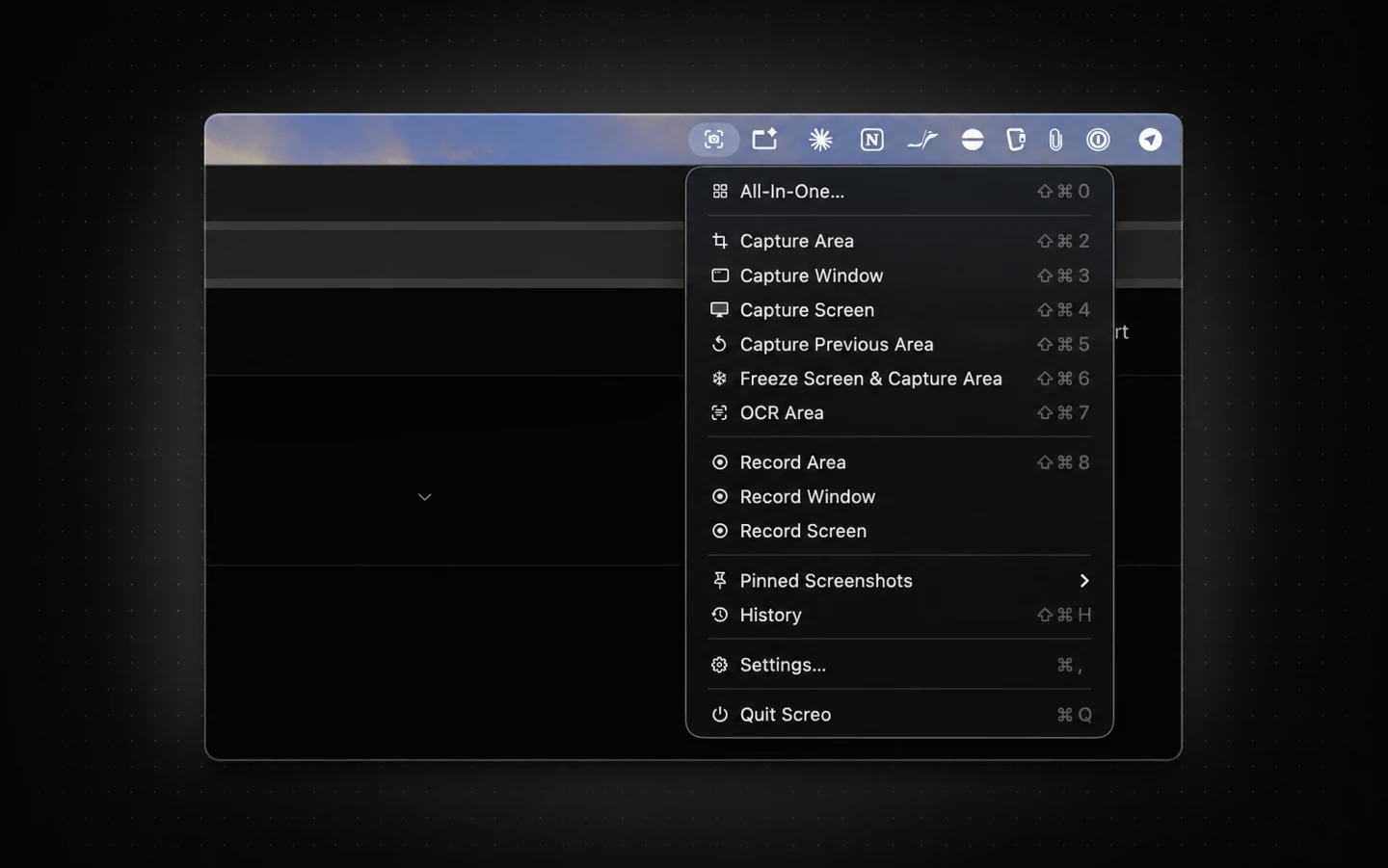
Everything stays on your Mac. Screo has no account, no server and no telemetry. Captures, recordings and your history are stored on disk, and text recognition runs locally using Apple's on-device frameworks. Screo works offline; the only thing that needs a connection is buying or restoring a licence.
A real trial. Downloading Screo from the Mac App Store starts a 7-day trial with every feature unlocked and no purchase needed until it ends.
Redaction that's actually destructive. Blur, pixelate and blackout are applied to the pixels when you export. There's no hidden layer underneath that someone could recover.
Pinning with click-through. Pin any capture as a floating window above everything else, adjust its opacity, and turn on click-through so you can work in the app underneath it.
Recording with the audio you need. Record system audio, your microphone, or both (mixed into one track), add a camera overlay or click highlighting, then trim and export to MP4 or GIF.
Local history you control. Every capture goes into a local history, with retention set to 1, 7 or 30 days, or kept indefinitely.
Price over a few years
Prices at the time of writing:
- CleanShot Basic: $35 once, including a year of updates. Optional renewal for updates: $19 a year.
- CleanShot Pro: $10 per user per month, billed annually, with unlimited cloud storage.
- Screo: $19.99 a year, or $99.99 once for lifetime access including future updates.
If you want the lowest upfront price and don't mind staying on one version, CleanShot Basic is cheaper. If you keep CleanShot updated every year, three years comes to about $73, compared with about $60 for three years of Screo's yearly plan. Screo's lifetime option costs more upfront and makes sense if you expect to use it for many years without thinking about renewals.
Switching is easy either way
Both apps use global shortcuts, and Screo's shortcuts can be remapped in Settings, so you can set them to whatever your fingers already know. Screo's quick-access tray, annotation tools and pinning work in a similar spirit to CleanShot's, so there isn't much to relearn.
Who should pick which
- Pick CleanShot X if you need scrolling capture, cloud links or team sharing, or you want the most mature app in the category.
- Pick Screo if you want screenshots, recording and OCR in one app with nothing leaving your Mac, and you'd like to try everything before paying.
The easiest way to decide is to try both on your real work for a few days. Screo's trial makes that straightforward.
Prices and features checked in October 2026. Check each app's site for current details.
Screo is a native screenshot and screen recording app for Mac — nothing you capture ever leaves your Mac.