 Screo
ScreoFor macOS
Screenshots and screen recording,
entirely on your Mac.
Screo is a fast, native screenshot and screen recording tool for macOS — capture, annotate, and record without an account and without your captures ever touching a cloud.
Free to download — every feature works during a 7-day trial.
How it works
Press a shortcut
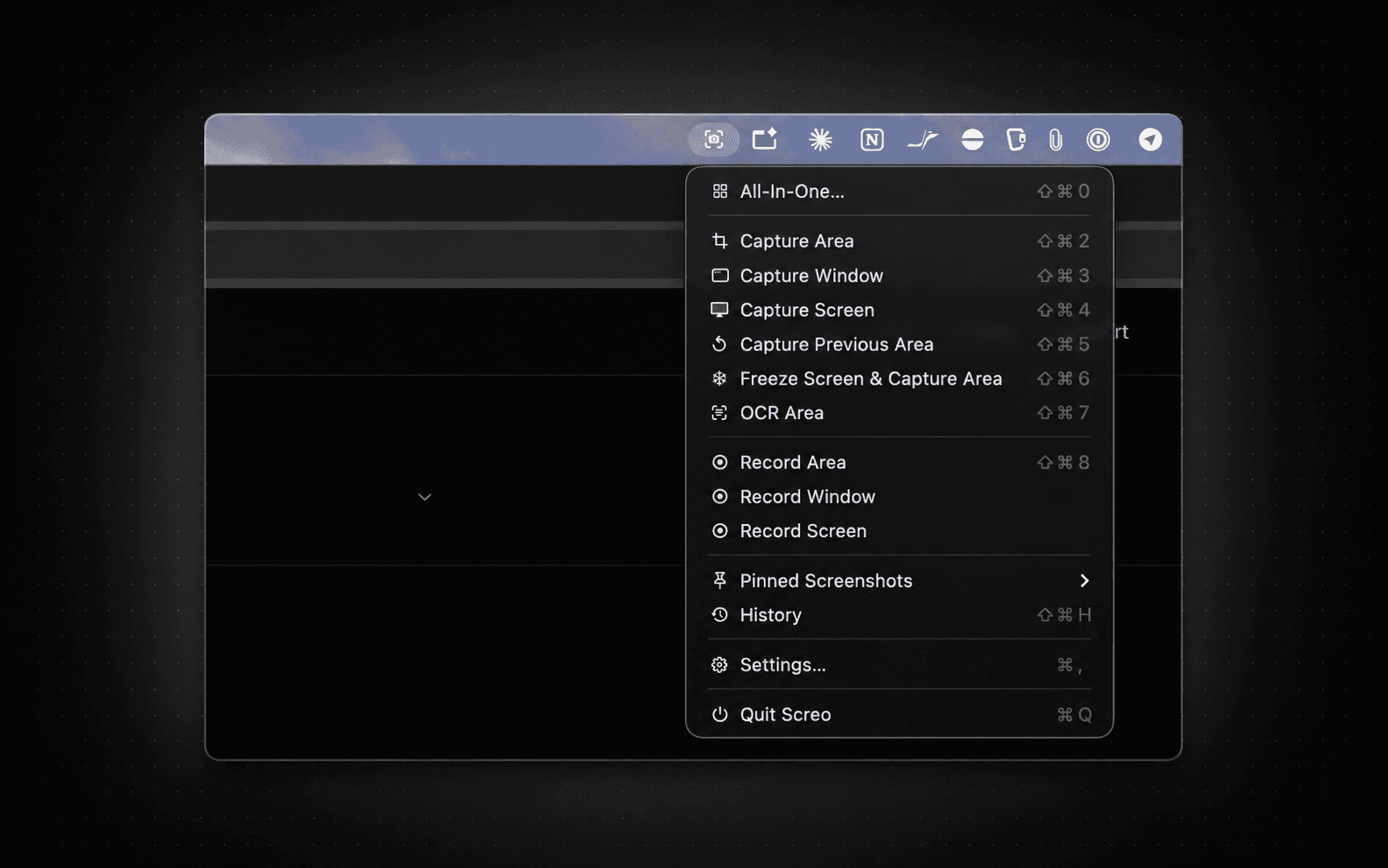
No need to open the app first. A global shortcut captures an area, a window, or your whole screen instantly.
Edit right there
Annotate, blur out anything sensitive, or pin it above your other windows — all from the same quick-access tray.
It stays on your Mac
Copy it, save it, or drag it out. Nothing touches a server — there isn't one.
See it in action
Everything you need, nothing you don't
Instant screenshots
Area, window, or full screen — triggered by global shortcuts, with a quick-access tray to copy, save, or drag out immediately.
Annotate
Arrows, shapes, text, and freehand drawing, plus real pixel-level blur, pixelate, and blackout for redacting sensitive info.
Pin to screen
Keep a screenshot floating above every window as a reference — resizable, adjustable opacity, click-through when you need it.
Screen recording
Record an area, window, or display with optional click highlighting and a camera overlay, then trim and export straight to GIF.
On-device OCR
Pull text out of any screenshot instantly. Recognition runs entirely on your Mac — nothing is ever sent anywhere to read it.
Local history
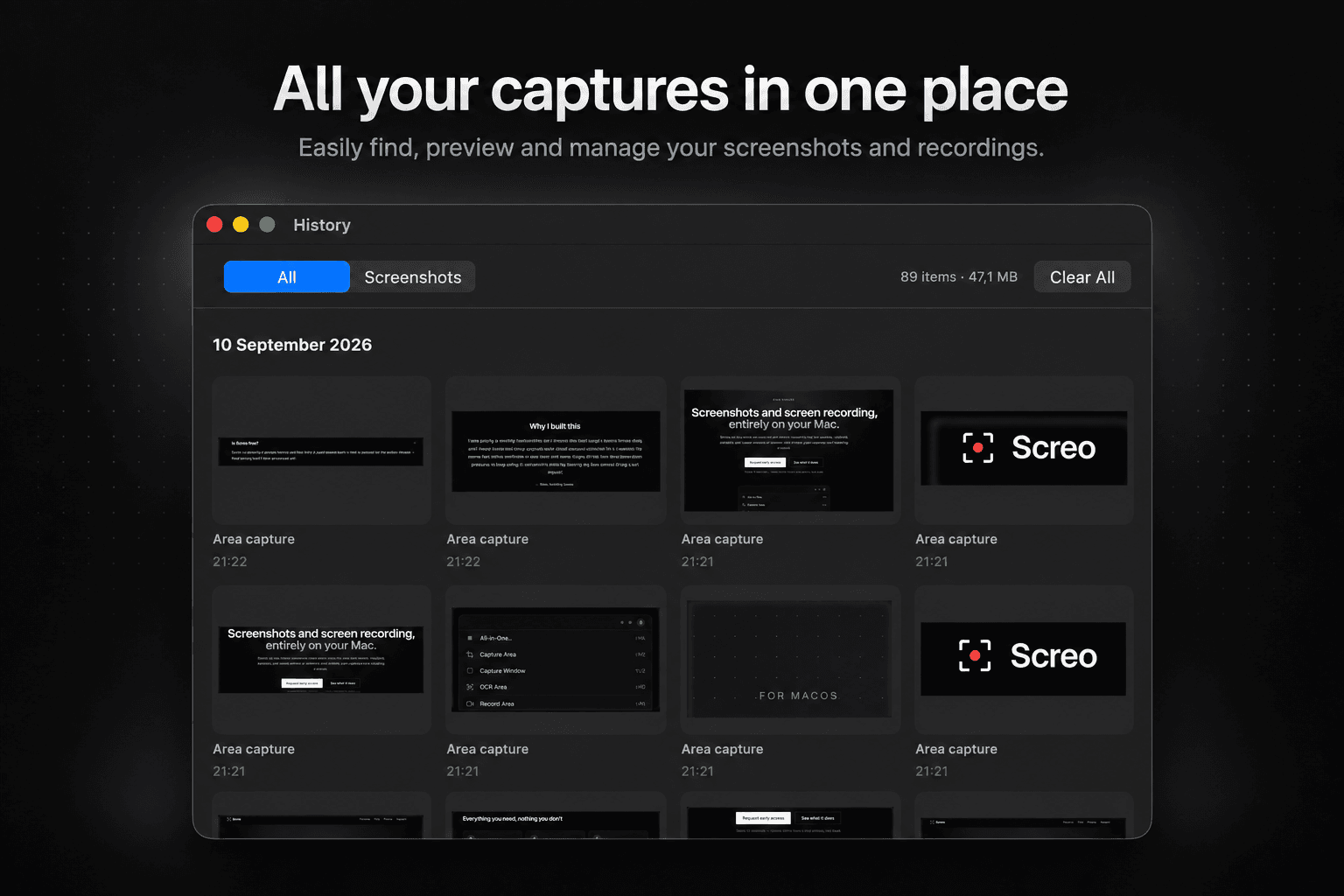
Every capture is kept in a local archive with a retention policy you control — stored on disk, never in the cloud.
Why I built this
I was paying a monthly subscription for a screenshot tool I used a dozen times a day, and I never loved that every capture had a cloud account attached to it. I wanted the same fast, native workflow — just local, and mine. Screo is that tool: no subscription pressure to keep using it, no account, nothing leaving my Mac unless I drag it out myself.
— Max, building Screo
Private by design, not by policy
No accounts. No cloud storage. The app itself has no analytics or tracking SDKs — every screenshot, recording, and OCR result is processed and stored locally on your Mac, full stop.
Frequently asked questions
Is Screo free?
Screo is free to download, and every feature is fully available for a 7-day trial — no credit card needed to start. After that, Screo Pro is $19.99/year or a one-time $99 for lifetime access.
Where can I get it?
Screo is available now on the Mac App Store — click Download above.
Does it work on Intel Macs?
Yes — Screo is a universal build that runs natively on both Apple Silicon and Intel Macs, on macOS 14 (Sonoma) or later.
Do I need an account?
No. Screo works offline — there's no sign-in, ever, and no account to lose access to. Only buying or restoring a licence needs a connection.
What data does Screo collect?
The Screo app itself has no analytics, no tracking, no crash reporting, no cloud uploads — your screenshots, recordings, and OCR text never leave your Mac. The only thing it sends over the network is validating an in-app purchase, handled by RevenueCat. (This marketing site uses privacy-friendly, cookieless analytics — see the privacy policy for details.)
Can I try before I buy?
Yes — downloading from the Mac App Store starts a 7-day free trial with every feature unlocked, no purchase required until it ends.
Ready to try Screo?
Free to download, with every feature available for a 7-day trial.