 Screo
ScreoThe Best Screenshot Apps for Mac in 2026: An Honest Comparison
The built-in Screenshot app, CleanShot X, Shottr, Snagit and Screo compared on features, price and privacy, so you can pick the one that fits how you work.
Most Mac users never need more than Shift-Command-4. But if you take screenshots every day — for bug reports, documentation, tutorials, support replies or design reviews — a dedicated app can save you a surprising amount of time.
Below are the five options worth looking at in 2026: what each one is best at, where it falls short, and what it costs. One disclosure up front: we make Screo, which is on this list. We've tried to be fair, including about what Screo doesn't do yet.
What actually matters in a screenshot app
Before comparing apps, it helps to know what you're comparing:
- Speed. One global shortcut, capture, and the image is copied or saved without extra clicks.
- Annotation. Arrows, text, numbered steps — and real redaction for anything sensitive.
- Screen recording. Video with the audio sources you need, plus trimming and GIF export.
- Extras. Text recognition (OCR), pinning a screenshot above other windows, scrolling capture, cloud sharing.
- Price model. Free, one-time, or subscription.
- Privacy. Does it need an account? Does it upload anything? Does it send usage data?
No app wins on every line. The right choice depends on which of these you care about most.
1. The built-in Screenshot app (free)
Every Mac already has a capable screenshot tool. Shift-Command-3 captures the whole screen, Shift-Command-4 captures an area, and Shift-Command-5 opens the Screenshot toolbar with options for a timer, a save location and screen recording. Recent versions of macOS added recording a single window, and macOS 27 added an option to include system audio in recordings.
Good for: occasional screenshots and quick recordings.
Falls short: annotation is basic (Markup has shapes, text and a pen, but no blur or pixelate tool and no numbered steps), there's no capture history, you can't pin a screenshot above other windows, and copying text out of a screenshot means opening the image first.
2. CleanShot X
CleanShot X is the most popular paid screenshot app on the Mac, and it's the benchmark the rest of the category gets measured against. It's mature and very feature-rich: scrolling capture, cloud uploads with shareable links, a video editor with animated zooms, OCR, pinning and a lot more.
Price at the time of writing: CleanShot Basic is $35 one-time with a year of updates (renewal is optional, at $19 a year). CleanShot Pro is $10 per user per month, billed annually, and adds unlimited cloud storage and team features. There's no free trial — instead there's a 30-day money-back guarantee — and it's also available through Setapp. It requires macOS 13 or newer.
Good for: people who want the most features in one app, especially cloud sharing and scrolling capture.
Falls short: there are few real weaknesses. The usual reasons people look elsewhere are wanting to try an app before paying, or preferring a tool with no cloud component at all.
3. Shottr
Shottr is a small, fast screenshot app that's especially popular with designers and front-end developers. It has scrolling screenshots, a pixel ruler, a color picker, OCR with QR code reading, pinned screenshots, backgrounds for screenshots and uploads to S3-compatible storage.
Price: Shottr can be used for free, with an occasional prompt to buy a licence; the paid licence unlocks a few extras such as uploads.
Good for: pixel-level work and anyone who wants a capable free tool.
Falls short: there's no screen recording. Its FAQ also notes that it sends anonymous telemetry, which you can turn off in Preferences.
4. Snagit
Snagit from TechSmith has been around for many years and is common in companies that write a lot of documentation. Its biggest advantage is that it runs on both Windows and Mac, which matters if your team uses both.
Price: $39 per user per year for an individual subscription.
Good for: documentation teams and anyone who needs the same tool on Windows and Mac.
Falls short: it's subscription-only, and it's a heavier app than the others here — more of a capture-and-documentation suite than a quick utility.
5. Screo
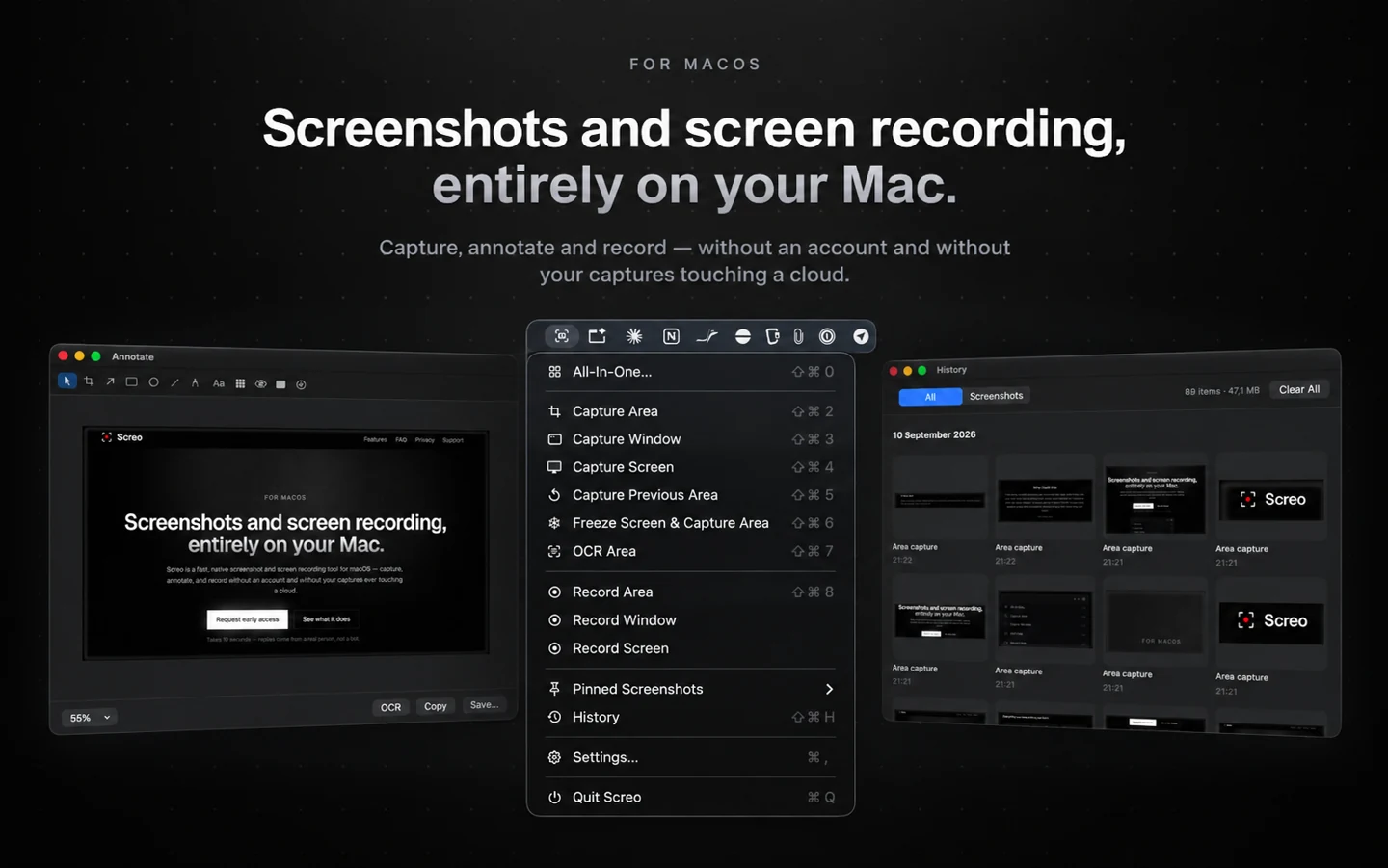
Screo is our app: a native screenshot and screen recording tool that lives in the menu bar. It captures an area, a window or the full screen with global shortcuts, and every capture lands in a quick-access tray where you can copy, save, drag it out, annotate it or pin it.
What it includes:
- Annotation with arrows, shapes, text, freehand drawing, numbered steps, and pixel-level blur, pixelate and blackout for redaction.
- Pinned screenshots that float above every window, with adjustable opacity and a click-through mode.
- Text and QR code recognition that runs entirely on your Mac.
- Screen recording of an area, a window or a display, with system audio, microphone or both, an optional camera overlay and click highlighting — then trimming and GIF export.
- A local capture history with a retention period you choose.
There's no account, no cloud and no telemetry; Screo works offline. It's free to download with a 7-day trial of every feature, then $19.99 a year or $99.99 once for lifetime access. It requires macOS 14 or newer.
Good for: people who want screenshots, recording and OCR in one app, with everything staying on their Mac.
Falls short: there's no scrolling capture yet, and no cloud sharing links — that second one is by design. It's also newer than CleanShot X and Snagit.
Quick picks
- You take a screenshot a few times a week: the built-in Screenshot app is enough.
- You want free and pixel-precise, and don't need recording: Shottr.
- You want the most features, including cloud links and scrolling capture: CleanShot X.
- You need the same tool on Windows and Mac: Snagit.
- You want screenshots, recording and OCR in one app, everything stored locally, and a trial before you pay: Screo.
How to choose in ten minutes
Feature lists only go so far. The quickest way to decide is to take the screenshots you take in a normal week — a bug report, a quick explanation for a colleague, a recording of a few clicks — in two of these apps, back to back. Pay attention to how many clicks it takes to go from "I need this" to "it's in the message". That number matters more than any feature on a pricing page.
Prices and features were checked in October 2026. They change, so check each app's own site before you buy.
Screo is a native screenshot and screen recording app for Mac — nothing you capture ever leaves your Mac.